How to Validate Emails?
Validating your email list is a crucial step in maintaining a healthy sender reputation. By verifying addresses before you hit send, you can significantly reduce bounce rates, avoid spam traps, and ensure your messages actually reach your customers' inboxes.
The Email Validation tool in uSpeedo allows you to check the deliverability of an email address in real-time. Whether you need to verify a single lead or scrub an entire mailing list, uSpeedo provides detailed insights into the validity of every address.
Why Validate Your Emails?
- Protect Your Reputation: High bounce rates can get your account flagged by email service providers.
- Save Costs: Avoid wasting your email credits on non-existent or inactive addresses.
- Improve Analytics: Get more accurate open and click-through rates by removing "noise" from your lists.
How to Access Email Validation
Before you start: Ensure you have available Email Validation credits. New accounts receive 100 free credits. If yours are used up or expired, purchase a package on the Email Validation page before submitting a task.
To get started, log in to your uSpeedo dashboard, navigate to Email Console, and select Validation from the main navigation menu.
uSpeedo offers two modes for validation depending on your needs: Single Email Validation and Bulk Upload. These are located in two separate tabs.
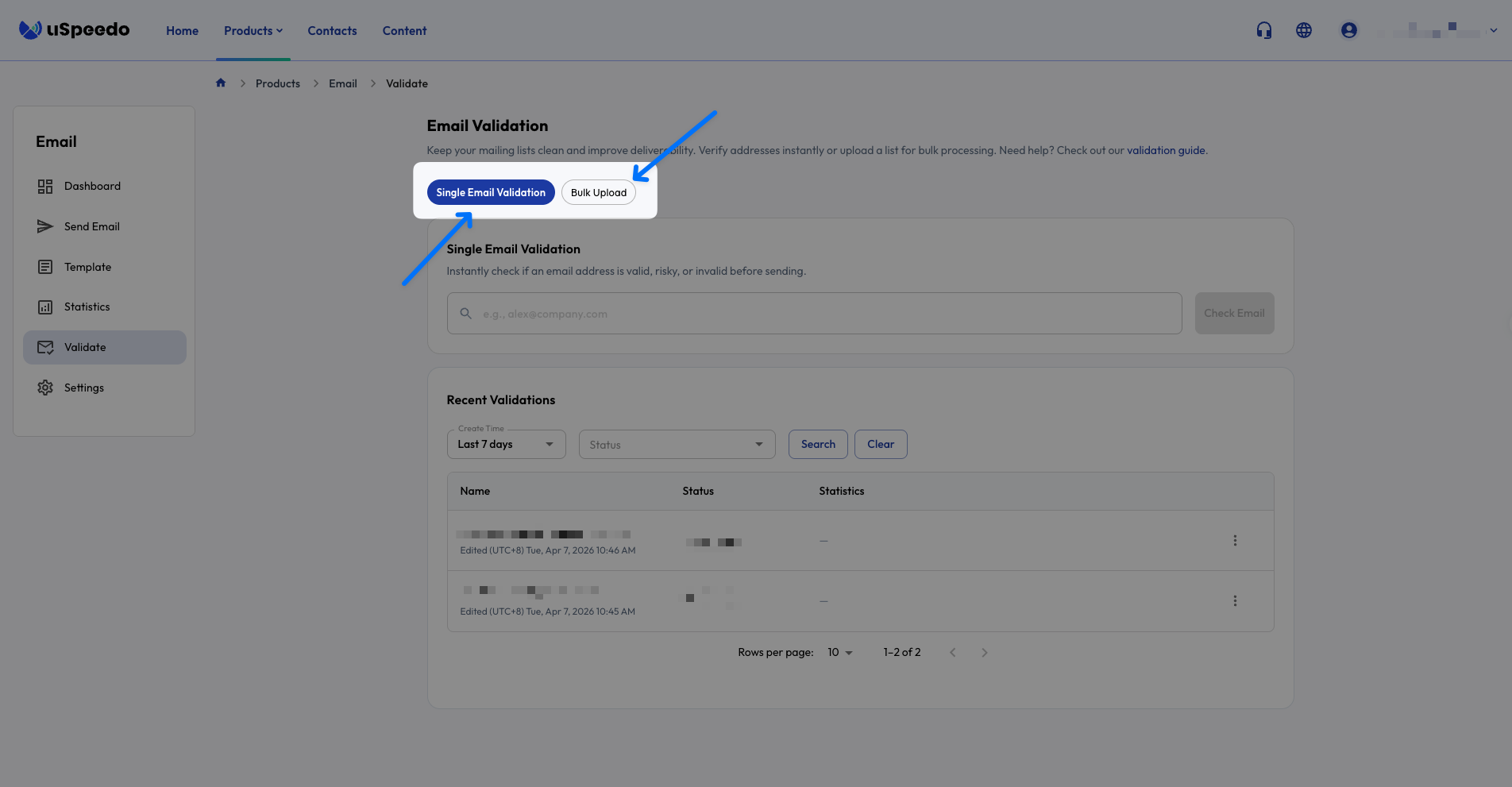
1. Single Email Validation
Use this mode if you have a specific address you need to verify quickly.
- Navigate to the Single Email Validation tab.
- Enter the email address into the input field.
- Click the Check Email button.
- The result will appear immediately, and the record will be saved in the Recent Validations table located directly below the search bar.
Note: To see the technical breakdown of why an email passed or failed, click the "View Details" on the right side of the results table.
2. Bulk Upload Validation
Use this mode to clean large lists or databases.
- Navigate to the Bulk Upload tab.
- Prepare your Excel file.
- Best Practice: We recommend your file contains only a single column of email addresses. Ensure there are no empty rows or extra data fields to speed up processing.
- Upload your file and click Start Bulk Verification.
- Once the process begins, you can monitor the progress in the Recent Validations table below the upload area.
Pro Tip: Bulk validation time varies depending on the size of your list. For lists with thousands of entries, please allow a few minutes for the system to complete the deep-level checks.
Understanding Your Results
Once validation is complete, uSpeedo categorizes every email into one of four statuses. Understanding these will help you decide which addresses are safe to contact.
| Status | Description | Action Recommended |
|---|---|---|
| Valid | The email address is active, the mailbox exists, and it is ready to receive mail. | Safe to send. These addresses are high-quality leads. |
| Risky | The address is likely a "disposable" (temporary) mailbox, a bot-generated address, or a known source of low-quality engagement. | Handle with caution. Only send to these if you have a strong relationship with the recipient. |
| Invalid | The address is non-existent, has a syntax error, or the domain is inactive. This category often includes known spam traps. | Do not send. Remove these from your subscription list immediately to protect your sender reputation. |
| Uncertain | The system cannot definitively confirm existence. | Proceed with caution. Since the status is unknown, sending here carries a moderate risk of bouncing. These results will not be charged. |
Key Things to Remember
- Separate History Tables: The Recent Validations tables are specific to the tab you are currently viewing. Single validation history is found under the Single tab, and Bulk history is found under the Bulk tab.
- Downloading Results: While Single validation details are viewed in-browser, Bulk validation results are best reviewed by downloading the completed file. The exported report will include detailed status codes for every email in your list.